Choose a visible name
Use the Display Name option in your compatible viewer to choose the name you want other residents to see.
Choose how your name appears in-world while keeping your original OpenSimulator account identity unchanged.
A Display Name is the name other people can see in supported viewers, including above your avatar and in profile views. It gives you more freedom over how your identity appears inside BloodMoon.
Your original BloodMoon account name is still kept as your technical identity. Your avatar UUID, inventory, groups, permissions and login identity do not change when you choose a Display Name.
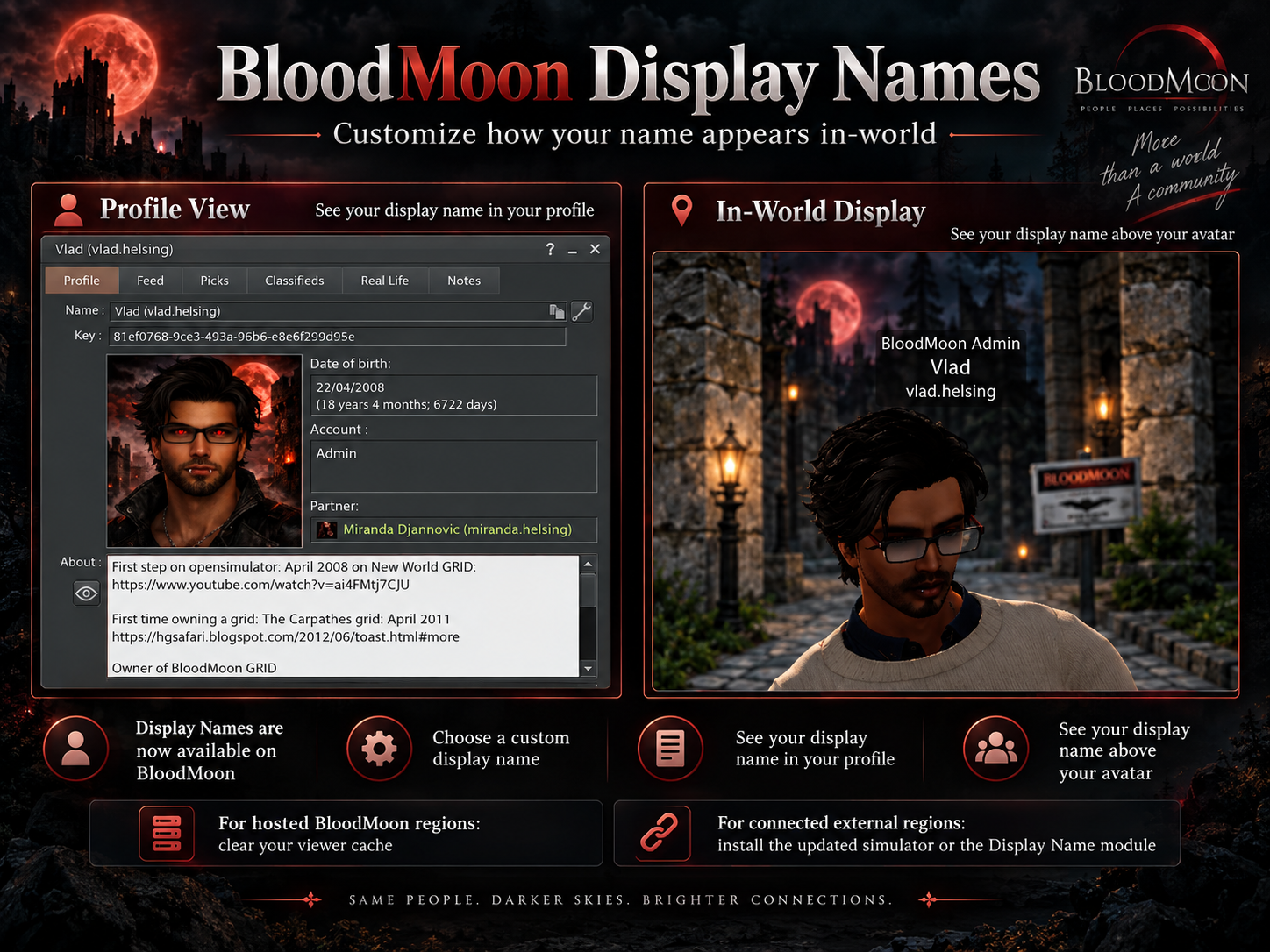
The Display Name is a visible identity layer. The original OpenSimulator account remains the technical identity behind it.
Use the Display Name option in your compatible viewer to choose the name you want other residents to see.
Your original BloodMoon account name remains linked to your avatar and continues to be used for login and technical identification.
The new name can appear in compatible in-world views and on BloodMoon web pages that support Display Names.
A Display Name does not replace your original account name. Always keep your original BloodMoon account name available when signing in or when technical support needs to identify your avatar.
Regions hosted directly by BloodMoon already use the Display Names service. Residents only need to refresh their viewer cache once after the feature becomes available.
Residents who connected to BloodMoon before Display Names were activated may still have old viewer capabilities in cache.
This is normally required only once after Display Names have been activated.
Owners of regions hosted outside BloodMoon must use the BloodMoon-compatible simulator package or install the BloodMoon Display Name module on their current simulator.
Recommended for a new BloodMoon connection, or when your simulator has not received the latest BloodMoon updates.
Open full simulator package ↗For an already connected external region running a current BloodMoon-compatible simulator that only needs the Display Name update.
Open module package ↗Read the English and French installation guide before replacing or installing the module on an external OpenSimulator instance.
Open installation guide ↗Stop OpenSimulator first, keep a timestamped backup of an existing module, preserve any shared modules already configured, and rebuild the add-in cache after replacing the DLL. The complete README contains the exact installation steps.
Display Names change presentation, not account ownership or technical identity.