BloodMoon Grid BloodMoon Grid
HOME
T.O.S RGPD
Contact Team
CURRENCY MAP
View Events Add an Event My Events
NEWS
Viewer / Add Grid Create Account Reset Password Partnership Search Profiles Display Names
Simulator Link Server & Backup Freeland Full Sim Web Manager ↗
MARKETPLACE DONATE ROLE PLAY
Sign in
EN FR
Account

Viewer / Add BloodMoon

Everything you need to create your account, install Firestorm and connect to BloodMoon Grid.

BloodMoon

Join BloodMoon in a few minutes

BloodMoon is an OpenSimulator grid. We recommend Firestorm for OpenSim because it provides the features needed to connect easily and enjoy the grid.

01

Create your BloodMoon account

You need a local BloodMoon avatar account before you can log in to the grid.

Create an account
02

Download Firestorm

Download the OpenSim-compatible version of Firestorm from the official Firestorm website. We recommend keeping your viewer up to date.

Download Firestorm ↗
Download Firestorm
03

Add BloodMoon to your viewer

You can try the automatic button first. If your browser or viewer does not handle it correctly, use the manual method shown below.

Automatic method

Automatic method

Click the button below. Your browser should ask Firestorm to add BloodMoon to the grid list.

Add BloodMoon to Firestorm

This method can fail when several viewer installations are registered on the same computer. In that case, use the manual method.

Manual method

Manual method

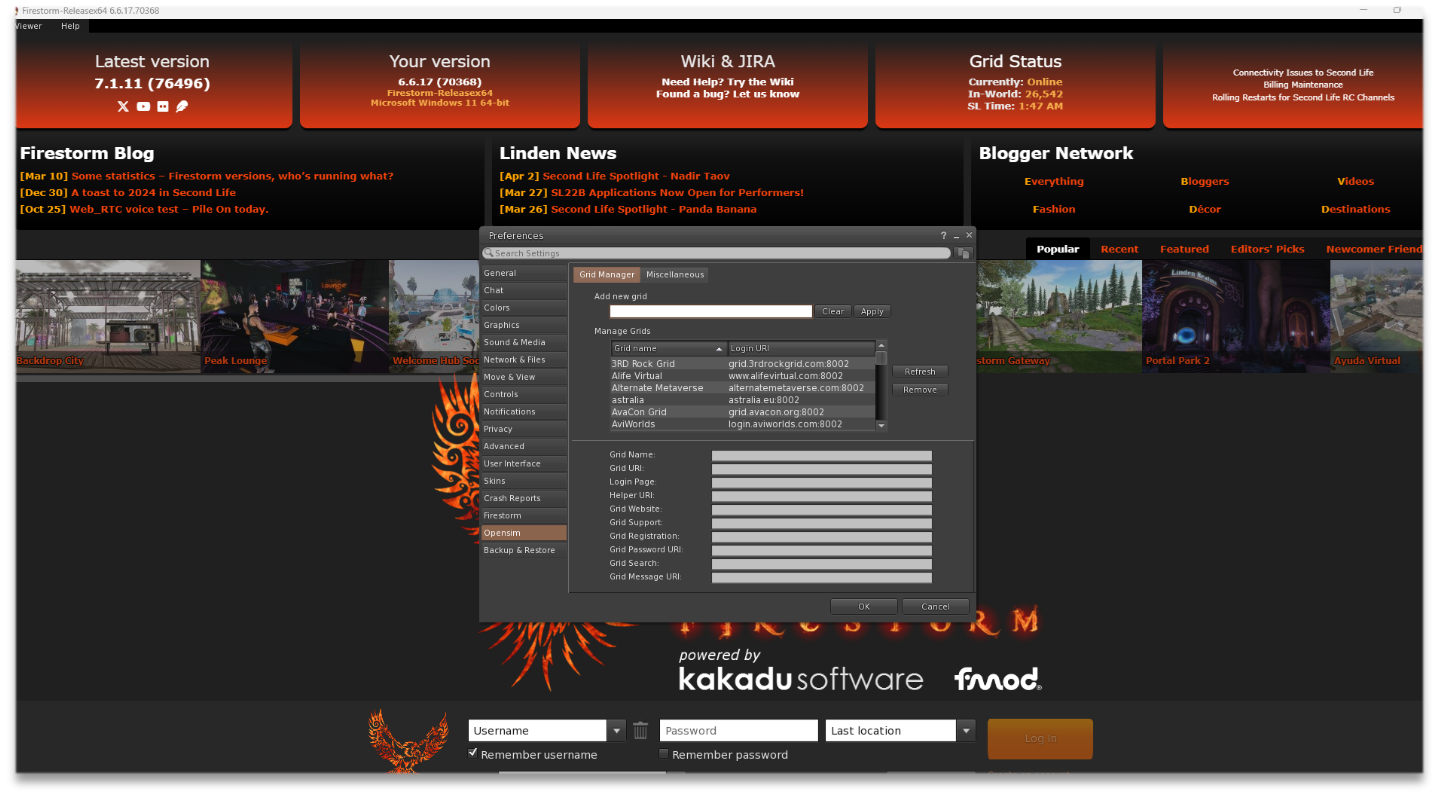
  1. Open Firestorm, then go to Viewer > Preferences.
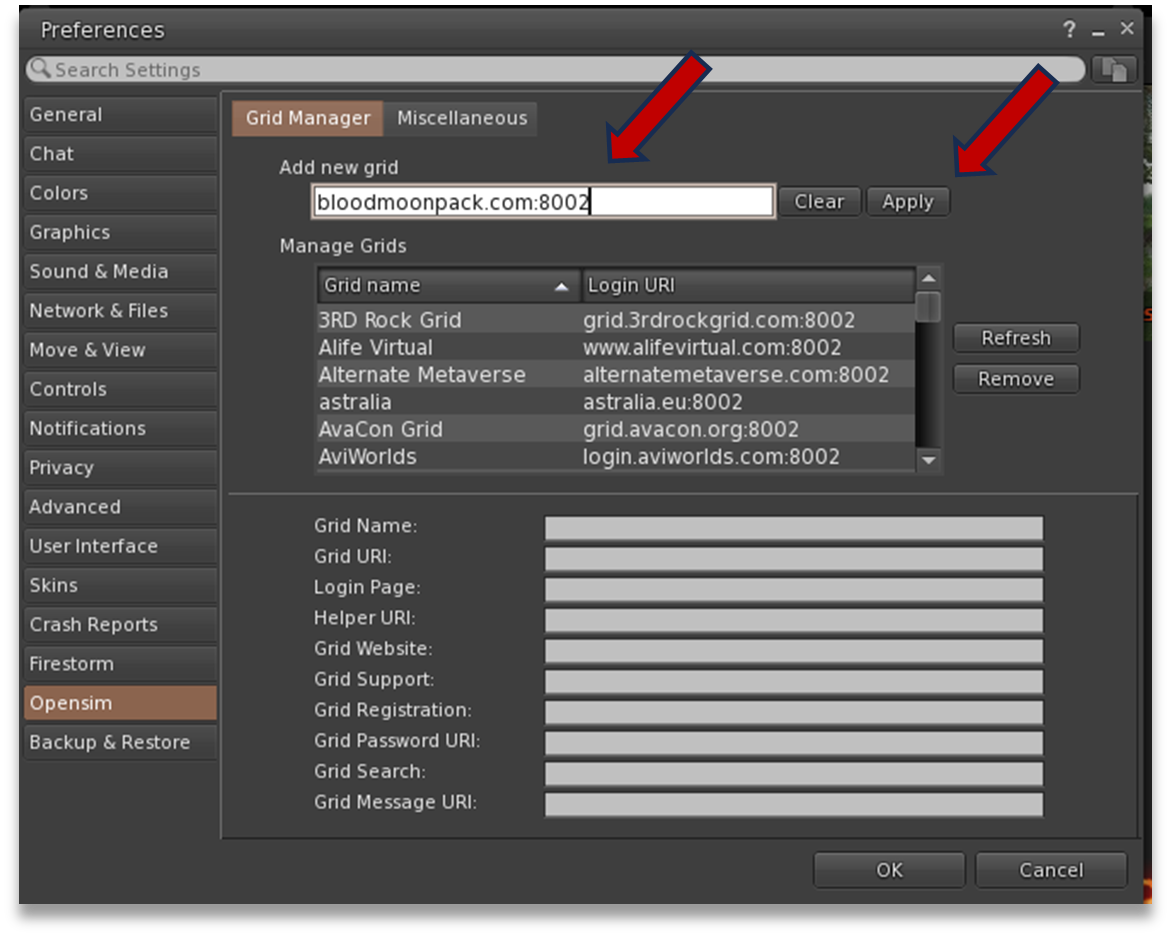
  2. Open the OpenSim / Grid settings and locate the “Add new grid” field.
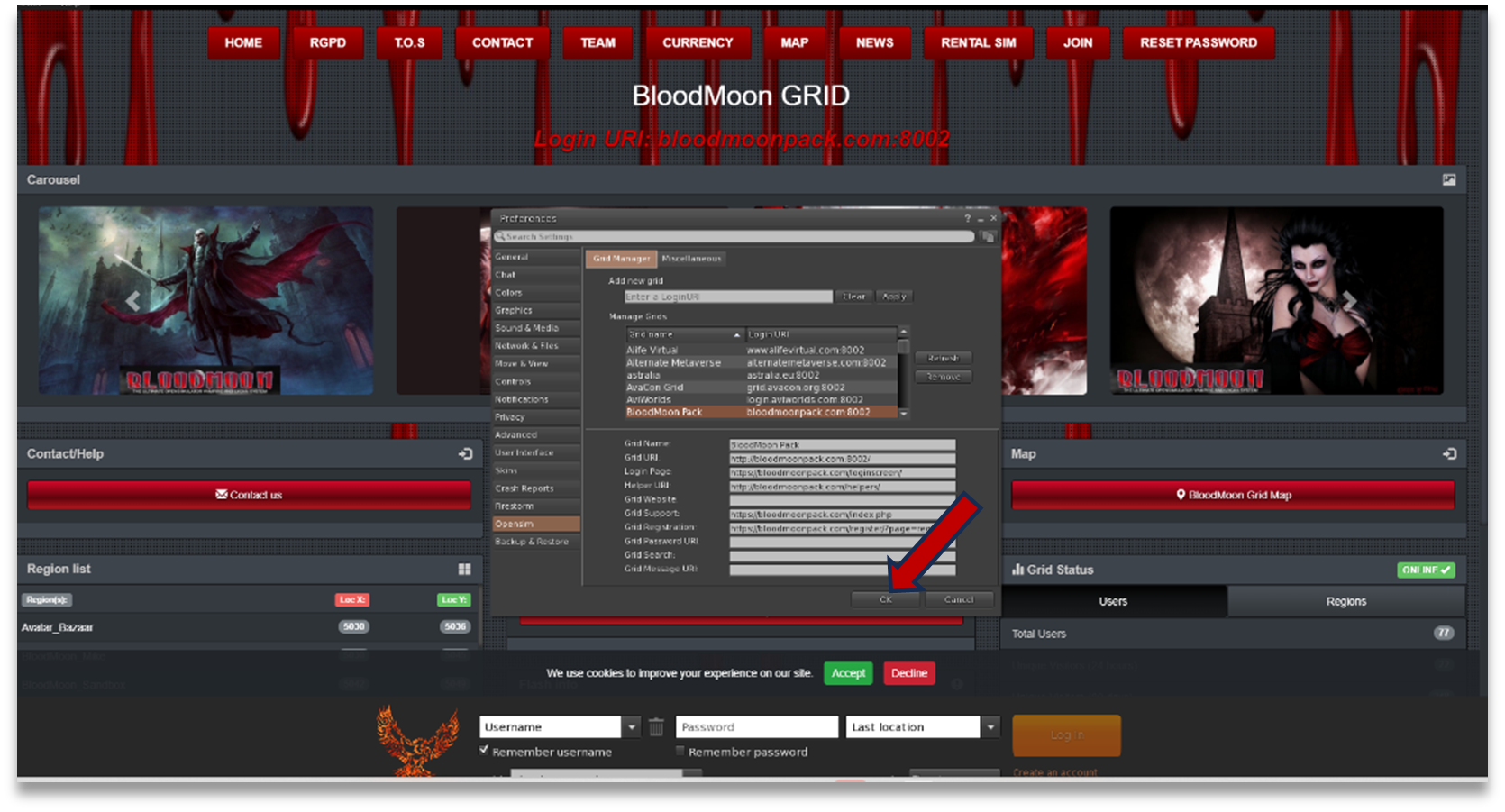
  3. Enter the BloodMoon login URI shown below, then click Apply and OK.
  4. BloodMoon should now appear in the available grid list.
BloodMoon login URI bloodmoonpack.com:8002
Firestorm

Firestorm setup screenshots

The screenshots below illustrate the manual configuration process. Depending on your Firestorm version, some labels or positions may look slightly different.

Firestorm preferences window
1
Firestorm Add new grid field
2
Firestorm grid list with BloodMoon
3
04

Log in to BloodMoon

Select BloodMoon in Firestorm, enter your BloodMoon avatar first name, last name and password, then connect to the grid.

BloodMoon

Ready to enter BloodMoon?

If you already have a BloodMoon account and Firestorm is configured, simply select BloodMoon from your viewer and log in.

Create my BloodMoon account Get Firestorm ↗
© 2026 BloodMoon Grid · All rights reserved.
OpenSimulator OSSN Facebook Discord ♥ Donate
BloodMoon GRID
Cookies & Privacy BloodMoon Grid uses essential cookies for the portal and may use optional cookies to improve your experience. You can accept or decline optional cookies. Privacy & cookies